
Language school management software, from placement test to certificate
From a prospective student's first WhatsApp message to their certificate of completion: tests, classes, teachers, attendance and tuition in one tool, on a computer or a phone.
Pro plan free for 30 days · no credit card · no commitment
A language school runs on levels
In a language school, a student does not enroll just once. They move from A1 to A2, from B1 to B2, from an evening class to a Saturday class, sometimes in two languages. Palatryx keeps each student's level, language by language, from the first inquiry to the latest certificate.
Choose the Language center type when you open your center: vocabulary and starting levels are set for you. The default scale runs from A1 to C2, as in the CEFR, and you can replace it with your own steps.
From first inquiry to online placement test
- Every inquiry (WhatsApp, Facebook, website, front desk) becomes a lead record: languages requested, declared level, follow-up date.
- The lead gets a test link and takes it on their phone, without an account. You write the questions; marking is automatic.
- Their estimated level is written on their record, for example 'English B1': you know which class to place them in before you call back.
- One click turns them into a student: contact details, level and registration number follow.
Classes, scheduling and teachers
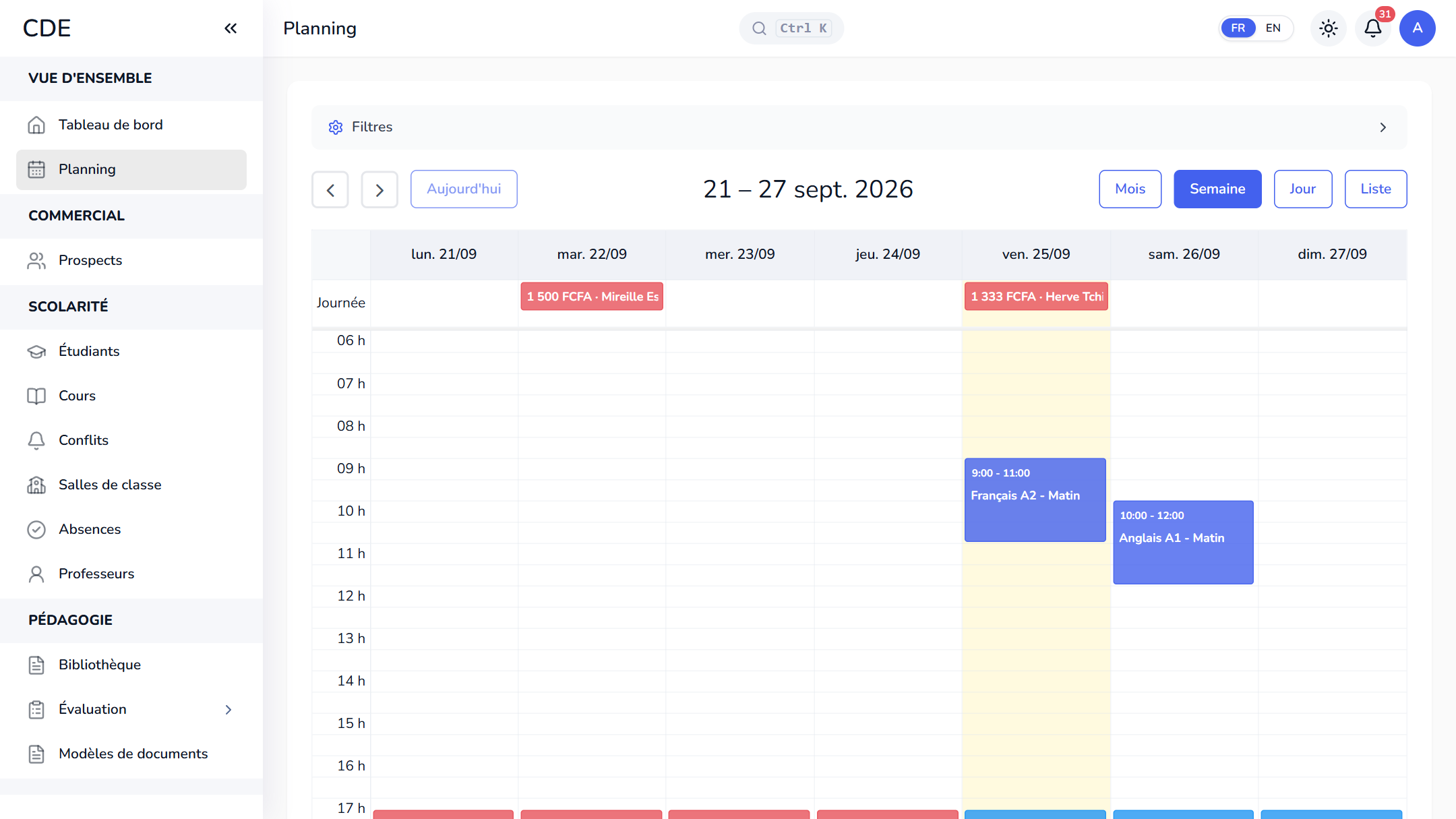
A class is a session: course, teacher, room, dates, class size and weekly time slots. Set the time slots and the classes are created for the whole term. A public holiday? Cancel the class and add a one-off class.
The schedule filters by teacher, room or language, moves by drag and drop, and flags room or teacher clashes. For a remote class, add a video call link (Meet, Zoom, Teams) to the session.
Each teacher has a record (languages taught, hourly rate) and a personal area: today's classes, students, roll call and the month's pay, based on hours taught minus approved absences.
Attendance, tuition and receipts
The teacher takes attendance on a phone: present, absent, late or excused. Attendance rates are calculated for you, and a student's absence can alert their family by email, and by WhatsApp or SMS once the center has connected its accounts.
Tuition is split into dated installments, up to 12, with registration fees and discounts. The cash desk records cash, Mobile Money (with the reference), card, bank transfer or cheque, and issues a numbered receipt. Reminders go out before the due date, then at D+1, D+7, D+15 and D+30.
Level validation and certificates
At the end of a session, you validate each student's level. Palatryx suggests the next level if attendance reaches 70% and the final quiz, if there is one, is passed. Validation generates the certificate of completion as a PDF from your template and files it on the student's record.
The online test and the document templates depend on the plan you choose: the pricing page shows what each plan includes.
Frequently asked questions
Can Palatryx manage a language school?
Yes: online placement test, levels per language, classes, scheduling, attendance, hourly teacher pay, installment tuition and certificates, for several languages in one center.
How do I give a placement test to a prospective student?
Create a quiz marked as a level test, then click Send from the lead's record: they answer on their phone and their estimated level is written on their record.
How do I pay language teachers by the hour?
Enter the hourly rate on their record: each month, the payroll page multiplies that rate by the hours of classes taught, approved absences deducted.
Can I run online classes with Palatryx?
Add the link of a meeting created in Meet, Zoom or Teams to a session: staff and the teacher open it in one click. Palatryx does not create the meeting.
See also
Open your center in minutes.
Enroll your first students the same day. 30 days free on the Pro plan, no credit card required.