
Teacher management software: schedule, attendance and payroll in one place
Every trainer has a record, a schedule and a personal area. The center keeps control of rates, absences and payroll, without a spreadsheet.
Pro plan free for 30 days · no credit card · no commitment
One record per trainer
Each record holds contact details, the languages or subjects taught (the label follows your center type), specialty, hourly rate, status and, if needed, a login account. The rate is a whole amount per hour.
A trainer who leaves is deactivated: they are no longer offered for new sessions, and their history stays readable. Deactivation is refused while they teach a scheduled or ongoing session: reassign it first.
A schedule per trainer, with no double bookings
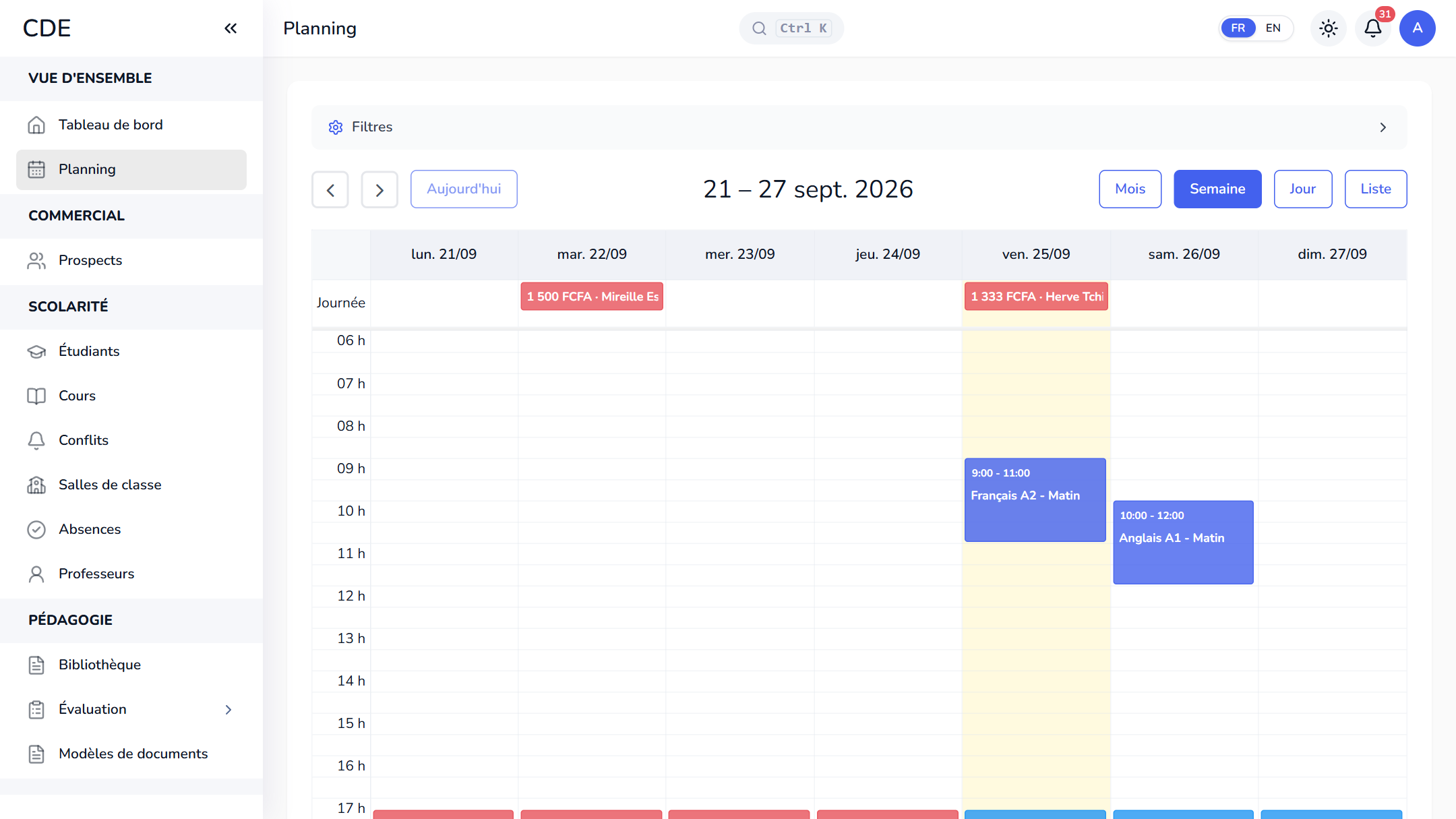
The schedule can be filtered by trainer, room or course, and color-coded by trainer. Moving a class is a drag and drop.
When two classes overlap for the same trainer, or in the same room, a conflict is flagged and listed. You change the trainer, move or cancel the class, or dismiss the conflict with a reason.
The trainer area, on a computer or a phone
A trainer with a login account gets a personal area, where they only see their own sessions and students.
- Home: today's and this week's classes, with time, room and class size.
- My courses: their sessions and students, with phone, e-mail and attendance rate.
- Roll call: present, absent, late or excused, marked from their phone.
- My payroll: classes taught, hours, the month's amount and payment history.
- My absences: they report an absence on a class, with a reason.
Payroll calculated from the schedule
The Payroll page takes each trainer's classes for the month, removes those covered by an approved absence and multiplies the remaining hours by their hourly rate. For example, 4 classes of 2 hours at 5,000 an hour give 8 hours and 40,000. Upcoming classes count too, so pay at the end of the month.
Trainers report their own absences, and the center approves, rejects or records them directly. An approved absence takes the class out of payroll and, when that setting is on, notifies the enrolled students. Paying a month freezes the amount, visible in the payment history on the trainer's My payroll page.
Frequently asked questions
Which software should I use to manage trainers at a training center?
You need a tool that links the schedule, to avoid double assignments, attendance and payroll. Palatryx brings them together: a trainer's pay comes from the classes in their schedule and their approved absences, with no re-entry.
How do I calculate pay for trainers paid by the hour?
Enter an hourly rate on each trainer's record. The month's payroll multiplies their hours by that rate, with approved absences removed. A month already paid keeps its amount if the rate changes; the others are recalculated.
Can a trainer see the center's finances?
No. With the default role, the cash desk, the reports and their colleagues' rates are closed to them: they see their own payroll and their own absences. The administrator can adjust the permissions of each role.
Can I replace an absent trainer?
Yes: you assign another trainer to the class from the schedule, and it shows up in the replacement's area. If they are assigned before the absence is approved, the message to students says so.
See also
Open your center in minutes.
Enroll your first students the same day. 30 days free on the Pro plan, no credit card required.