
Student payment management software, from receipt to net result
Every payment is dated, numbered and tied to a student, a purpose and an installment. Today's total, the month's total and your net result can be read straight off the screen, with no spreadsheet.
Pro plan free for 30 days · no credit card · no commitment
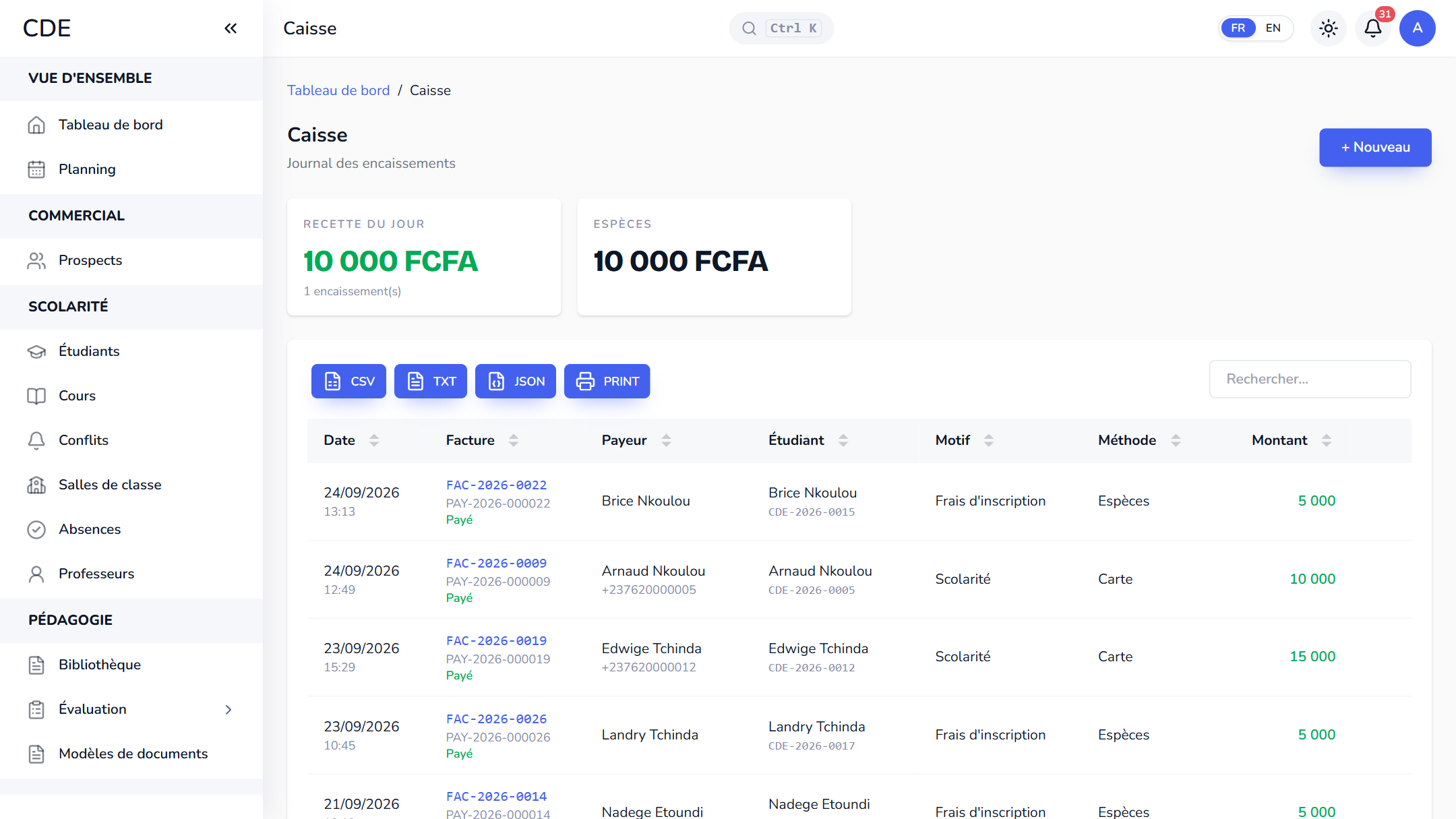
A cash journal, month by month
Every payment the center collects lands in a single journal, one month at a time. At the top: today's total, the month's total (net of refunds) and the VAT collected, with a card for each payment method used.
The journal exports to Excel or prints as a PDF. There is no opening or closing of the cash desk: every payment is time-stamped and stands as the record.
One payment, one purpose, one receipt
- Purpose: registration fee, tuition, materials, exam fee or other. For tuition you pick the installment being settled, and the amount fills in with what is still due.
- Method: cash, Mobile Money, card, bank transfer or cheque. For Mobile Money you enter the transaction reference, whichever operator it came from (MTN MoMo, Orange Money, Wave, Moov Money, Airtel Money, M-Pesa).
- VAT included: the center's rate is suggested, the payer pays the amount entered and the VAT portion shows in the journal.
- Two unique numbers: the PAY- reference of the entry and the FAC- number of the invoice handed to the payer. Each counter restarts every year, and a number is never reused.
- The A5 receipt prints or saves as a PDF, with the amount in words, and is e-mailed to students who have an address once the center's e-mail is set up.
Installments, promotions and refunds
Tuition can be paid in 1 to 12 dated installments. Each payment moves the installment you chose forward, and the balance is always recalculated from the payments, never typed in by hand. A session promotion (a percentage or a fixed amount) is picked when the payment schedule is created.
A confirmed payment can be neither edited nor deleted. To return money or fix a mistake, an administrator records a refund: a negative line with its reason, carrying the original invoice number and reopening the installment concerned.
Expenses and net result
Rent, electricity, supplies, marketing, transport, taxes: expenses are entered by category and by month. The financial report turns them into a net result before VAT: payments collected, minus VAT collected, payroll paid and expenses, over a day, a month or a year.
Revenue is also split by payment method and by purpose, and exports to CSV.
Frequently asked questions
How do I manage student payments?
Record each payment at the cash desk: student, purpose, method and, for tuition, the installment being settled. Palatryx hands over a numbered receipt, updates the balance and adds up the day's and the month's totals. A mistake is fixed with a refund, never by erasing a line.
Can a payment entered by mistake be deleted?
No, and that is deliberate: a confirmed payment is never erased. You refund it in full with the reason 'Entry error', then record the correct payment.
See also
Open your center in minutes.
Enroll your first students the same day. 30 days free on the Pro plan, no credit card required.