Management software for IT training centers
Classroom courses, virtual classes, online trainings, quizzes and certificates: run all of it, and the payments that come with it, from a single tool.
Pro plan free for 30 days · no credit card · no commitment
Classroom courses and online sessions, in one place
An IT center often mixes formats: evening groups in class, bootcamps, learners who follow remotely. An on-site session has its trainer, room and time slots; an online session has no room and no time slots, and its capacity is no longer capped by a classroom.
The IT center type comes with starter tracks (web development, office software, networks and systems) and three levels that you can adapt.
Virtual classroom with automatic attendance
Create the meeting in Google Meet, Zoom or Teams, then paste its link into the session: Palatryx does not create the meeting itself. Learners join the class from their portal, and anyone who clicks between 15 minutes before the start and the end of the class is marked present.
Your online trainings
A training is made of chapters, lessons and blocks: text, images, YouTube or Vimeo videos by link, files from your library. It is either internal, reserved for the learners of a course, or external, open to the public from your center's online catalog.
Course materials, quizzes and certificates
The library stores PDFs, Word, Excel and PowerPoint files, audio and images in folders, attached to a course. Each file is either downloadable or view-only.
Quizzes support single choice, multiple choice, true or false and short answer, with a pass mark, a time limit and a number of attempts. Grading is automatic, and a learner who passes can download a PDF certificate of achievement.
Collecting payments at the center: installments, Mobile Money, receipts
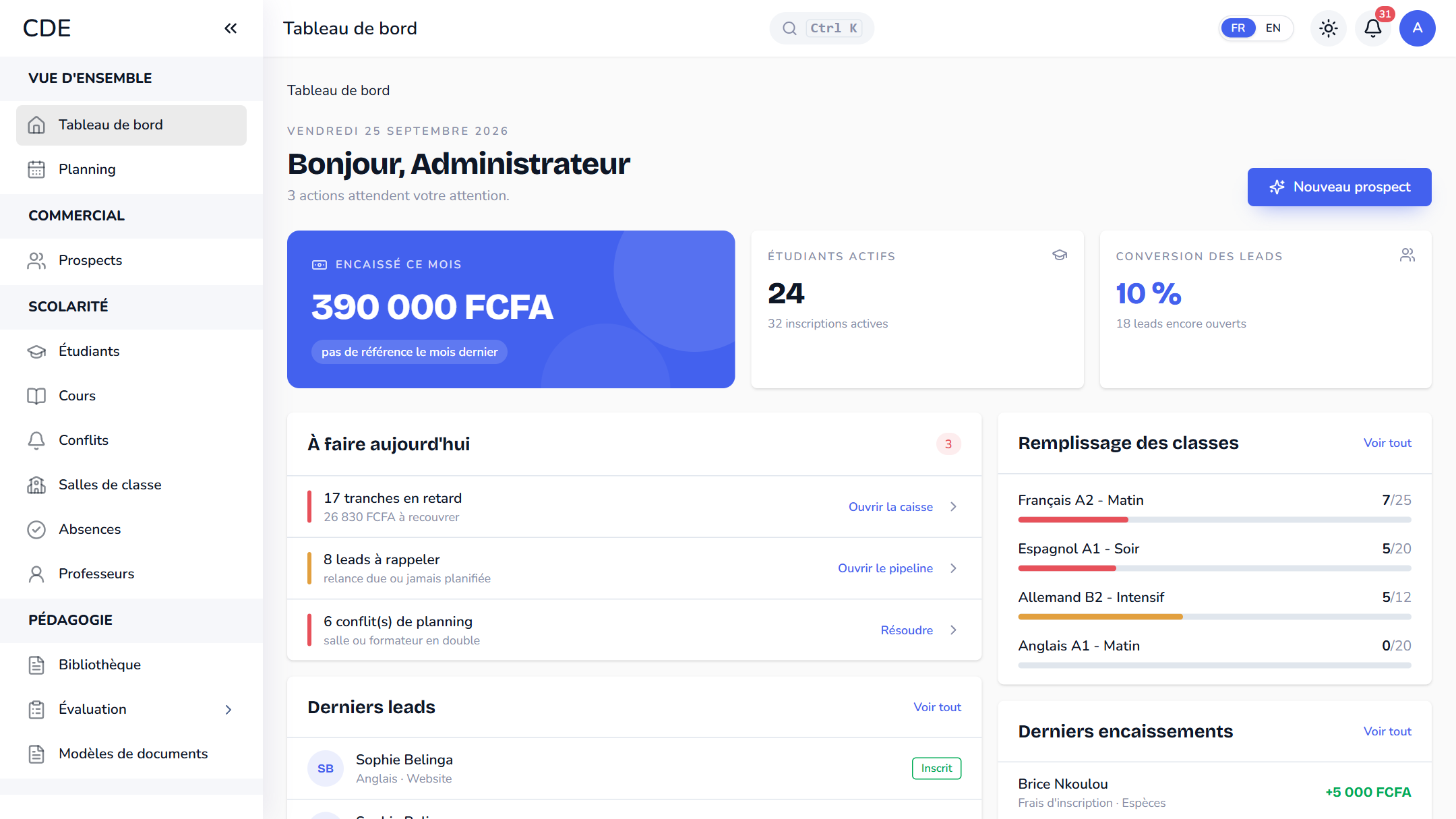
For classroom enrollments, the cash desk records cash, Mobile Money (M-Pesa, MTN MoMo, Orange Money... with the reference you enter), card, bank transfer and cheque payments, and hands over a numbered receipt. Tuition can be split into up to 12 installments.
Frequently asked questions
Which software should I use to run an IT training center?
You need a tool that handles classroom teaching (sessions, scheduling, attendance, installment payments) and online content (trainings, materials, quizzes, virtual classes). Palatryx covers both, with a free trial so you can test it on your own tracks.
Can I teach live classes by video call?
Palatryx links a session to your Google Meet, Zoom or Teams meeting: you paste the link, and learners join from their portal.
Are quizzes graded automatically?
Yes, as soon as the learner submits an attempt. The score is calculated, the correct answer is shown for each mistake, and a certificate of achievement is offered when the learner passes. A course's final quiz also feeds the end-of-session review.
See also
Open your center in minutes.
Enroll your first students the same day. 30 days free on the Pro plan, no credit card required.